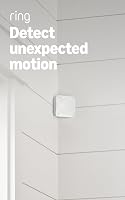
Ring Motion Detector Review: Worth It? (October 2026)
The Ring Motion Detector is a good fit for a home with Amazon Sidewalk coverage that wants room alerts without a base station. This ring motion detector review compares it with eufy, SimpliSafe and abode sensors, which each need their own compatible system.
On this page (8 sections)
- Ring motion detector review: who should choose it?
- How do you choose a motion sensor for your home?
- Where should you put a Ring motion sensor?
- Which alternative fits your existing alarm system?
- How should you set up and care for a motion sensor?
- Does the Ring Motion Detector support professional monitoring?
- What mistakes should you avoid when buying a motion sensor?
- Is the Ring Motion Detector worth choosing?
The Ring Motion Detector is a strong option in a ring motion detector review when your home has Amazon Sidewalk coverage and you want room alerts without a base station. It offers pet-friendly settings, but it depends on Sidewalk, and coverage may vary by location.
This sensor makes the most sense when Sidewalk reaches the room you want to monitor and you are comfortable choosing an alarm sensor around that connection. If you already use eufy, SimpliSafe or abode, start with the system you own: each alternative below requires its matching HomeBase, alarm system or gateway.
A motion sensor watches activity inside a room. It adds a different kind of coverage than a door or window contact, which reports when an opening moves.
For system planning, our guide to DIY alarm systems and how their parts work covers how those sensors fit together.
Ring motion detector review: who should choose it?
Choose the Ring Motion Detector if Sidewalk coverage reaches the intended room and you want an indoor motion sensor that doesn't need a separate base station. Skip it if Sidewalk isn't available or dependable where you plan to place it, or if you want a sensor that connects directly to one of the other alarm platforms in this comparison.
Ring Motion Detector: Best for Sidewalk homes

- 9.1 m range
- 90° field of view
- Settings to reduce alerts from pets under 50 lb
- Requires Amazon Sidewalk
A room motion sensor with pet-friendly settings and no base station requirement. It relies on Amazon Sidewalk, so confirm that service and coverage work where you plan to use it.
Pros
- No base station required
- Settings can reduce alerts from pets under 50 lb
- 90° field of view
Cons
- Amazon Sidewalk is required
- Coverage may vary
Ring describes a 9.1 m range and a 90° field of view. Those figures give you a useful starting point for planning a room, but furniture, walls and the chosen position affect what the sensor can see.
The pet-friendly settings are intended to reduce alerts from pets under 50 lb. They may suit households with smaller animals, but they aren't a substitute for choosing a sensible sensor position.
What does the Ring Motion Detector need to work?
The Ring Motion Detector requires Amazon Sidewalk and doesn't require a base station. Ring notes that coverage may vary, so verify that the connection is usable in the room before making this sensor part of your alarm plan.
This requirement makes the buying decision straightforward. If you want to avoid a separate base station and Sidewalk is available in the right place, Ring has a useful advantage; if not, choose a platform-compatible sensor instead.
How do you choose a motion sensor for your home?
Choose by system compatibility first, then compare the room coverage, pet needs and installation options that matter in your home. A sensor that doesn't connect to your alarm system won't help, even if its range or pet feature looks attractive.
The four options here serve distinct buyers:
- Ring suits homes where Sidewalk coverage is available and avoiding a base station matters.
- eufy E20 suits owners of a compatible HomeBase, especially when the household has a pet above Ring's stated 50 lb threshold.
- SimpliSafe suits homes using its Gen 3 system that need another motion detection point.
- abode suits gateway owners who want a wider detection angle and custom notification choices.
A pet-friendly label is not a promise that every pet will go unnoticed. Compare the stated weight limits with your pet's size and habits, then think about where the animal can climb or jump within the room.
If pets are your main concern, our guide to pet-immune motion sensors for home alarms compares options by that need. For room coverage across more types of systems, see best motion sensor alarms.
Where should you put a Ring motion sensor?
Place the sensor where it can see across the target area, away from likely sources of false triggers. Before mounting it, consider room layout, direct light, heat sources, windows, vents and the routes your pets take through the space.
Ring gives the sensor a 90° field of view, so check what falls inside that angle from the spot you have in mind. Keep the intended area clear in the sensor's line of sight, and don't aim it at places where pets regularly climb or jump.
A sensor is most useful when it covers movement through a room without trying to replace every other alarm component. Use entry sensors for doors and windows you want to monitor; our guide to best window alarm sensors explains that separate use.
Which alternative fits your existing alarm system?
The best alternative is usually the one made for your current platform. eufy requires a compatible HomeBase, SimpliSafe is for its Gen 3 system, and abode requires an abode gateway.
| Sensor | System requirement | Best fit |
|---|---|---|
| Ring Motion Detector | Amazon Sidewalk | Homes without a separate base station |
| eufy Motion Sensor E20 | Compatible eufy HomeBase | Existing HomeBase owners and households with larger pets |
| SimpliSafe Motion Sensor | SimpliSafe Gen 3 | Adding an indoor sensor to a Gen 3 system |
| abode Motion Sensor | abode gateway | abode users who want a wider detection angle |
When is eufy Motion Sensor E20 a better fit?
Choose eufy E20 if you have a compatible HomeBase and want pet-friendly detection for pets up to 80 lb. It requires HomeBase Mini, HomeBase 2, HomeBase 3 or HomeBase Pro with the required minimum software version, so check your model and update it before buying.
eufy Motion Sensor E20: Best for larger pets

- Requires a compatible eufy HomeBase
- Pet-friendly detection up to 80 lb
- 5-year battery life under normal conditions
A fit for homes with a compatible, updated eufy HomeBase. It offers pet-friendly detection and a stated battery life under normal conditions.
Pros
- Works with several HomeBase models
- Pet-friendly detection up to 80 lb
- Battery life of up to 5 years under normal conditions
Cons
- Requires a compatible HomeBase
- HomeBase software must meet minimum version requirements
eufy states a battery life of up to 5 years under normal conditions. Its installation options include wall or corner mounting, and eufy recommends avoiding direct light, heat sources, windows and vents to help reduce false triggers.
Skip E20 if you don't own a supported HomeBase and don't plan to add one. Its long stated wireless range doesn't remove that system requirement.
Should SimpliSafe Gen 3 owners add its motion sensor?
Choose the SimpliSafe Motion Sensor if you already use a SimpliSafe Gen 3 system and want to add indoor motion detection. It can sit on a shelf or attach with adhesive or the included hardware.
SimpliSafe Motion Sensor: Best for Gen 3 owners

- For SimpliSafe Gen 3 system
- 90° field of view
- Pet-friendly design for pets under around 50 lb
Choose this sensor if you already use SimpliSafe Gen 3 and want another indoor motion detection point. It can be placed on a shelf or mounted with adhesive or included hardware.
Pros
- Made for SimpliSafe Gen 3
- 90° field of view
- Shelf or wall placement
Cons
- Not compatible with other listed systems
- Pet-friendly feature is described for pets under around 50 lb
SimpliSafe describes a 90° field of view and detection within 30 ft in its product details. Its pet-friendly feature is intended for pets under around 50 lb.
Skip this sensor if your alarm setup isn't SimpliSafe Gen 3. For more setup ideas specific to that system, read where to put a SimpliSafe motion sensor.
Who should consider the abode Motion Sensor?
The abode Motion Sensor suits a home with an abode gateway that needs a room sensor with a wide detection angle. It has a 110° detection radius at 35 ft and gives you a choice between alerts for every motion event or alerts only when motion triggers the alarm.
abode Motion Sensor: Best for wide coverage

- Requires an abode gateway
- 110° detection radius at 35 ft
- Two AA batteries included
An option for an abode system, with a wide 110° detection radius and custom notification choices. HomeKit use requires a compatible abode gateway.
Pros
- 110° detection radius at 35 ft
- Custom notification options
- Replaceable batteries
Cons
- Requires an abode gateway
- HomeKit requires a compatible abode gateway
The sensor uses two included AA batteries. HomeKit compatibility requires a compatible abode gateway, so skip it if you don't use abode or if your gateway doesn't support that pairing.
How should you set up and care for a motion sensor?
Set up the sensor in the app or system it supports, then confirm it has the connection and room coverage your alarm plan needs. The exact setup steps vary by brand, but the same planning habits help across these systems.
- Confirm compatibility first. Check Sidewalk availability for Ring, the HomeBase model and software for eufy, Gen 3 for SimpliSafe, or an abode gateway for abode.
- Choose a location before mounting. Walk through the room and note the intended coverage area, likely pet paths and possible sources of false triggers.
- Follow the mounting method for your sensor. SimpliSafe can sit on a shelf or use adhesive or included hardware. eufy E20 supports wall or corner mounting, while abode can attach with adhesive tape in a corner or on a flat wall.
- Check the alert behavior after setup. Make sure you understand whether the sensor reports motion or triggers an alarm under your system's current settings.
- Review the placement if alerts don't match the room. Move the sensor away from heat, vents, windows and direct light, and avoid views that include places pets climb.
Battery maintenance depends on the sensor you choose. eufy states up to 5 years under normal conditions, while abode includes replaceable AA batteries; check each sensor and its companion system when an alert indicates a connection or battery issue.
Avoid assuming that a long range or broad angle covers every corner in every home. A wall, doorway or piece of furniture can change the sensor's view, so choose placement based on the actual room rather than the advertised coverage alone.
Does the Ring Motion Detector support professional monitoring?
Ring says 24/7 Pro Monitoring is available with a compatible Ring subscription. Its description includes emergency response for break-ins, fires and more, with no multi-year contract.
A motion alert and a monitoring plan are separate parts of a security setup. Confirm the compatible plan and available response features for your system before you count on professional monitoring.
If you're comparing Ring components, read what the Ring Alarm Base Station does. That guide explains the role of the base station in an alarm setup, which is different from Ring's Sidewalk-based motion sensor.
What mistakes should you avoid when buying a motion sensor?
The most common buying mistake is choosing by range or pet settings before confirming compatibility. A sensor is only useful if the required network, hub, gateway or alarm system works in your home.
Avoid these shortcuts:
- Don't assume “no base station” means no network requirement. Ring still needs Sidewalk.
- Don't buy eufy E20 without checking your HomeBase. It only works with supported models and minimum software versions.
- Don't treat pet-friendly settings as a guarantee. Compare the pet limit and consider where the animal moves.
- Don't rely on a sensor for openings. A motion detector covers movement in a room; an entry sensor addresses a door or window.
- Don't mount it before considering triggers. Heat, direct light, vents, windows and pet climbing routes can affect placement.
These checks keep the buying decision tied to how the sensor will work in your home, not just the feature list.
Is the Ring Motion Detector worth choosing?
Choose Ring if Sidewalk reaches the room you want to cover and you want a motion sensor without a base station. This ring motion detector review points to eufy E20 for compatible HomeBase owners and larger pets, SimpliSafe for Gen 3 homes, and abode for gateway owners who value its wider detection angle.
Skip Ring if Sidewalk coverage isn't dependable where you need alerts. Once you know which system you use and where the sensor will sit, compare the best motion sensor alarms for the home to decide whether you need a motion detector, an entry sensor or both.
Frequently asked questions
Does the Ring Motion Detector need a base station?
The Ring Motion Detector doesn't require a base station, but it does require Amazon Sidewalk for use. Coverage may vary, so confirm Sidewalk reaches the room where you plan to place the sensor before relying on its alerts.
Is the Ring Motion Detector pet-friendly?
Ring provides settings intended to reduce false alerts from pets under 50 lb. The feature can help in homes with smaller pets.
It doesn't make placement irrelevant, so keep the sensor's view away from furniture or stairs pets regularly climb.
How does the Ring Motion Detector compare with eufy E20?
Ring uses Amazon Sidewalk and doesn't require a base station, while eufy E20 requires a compatible HomeBase. Eufy describes pet-friendly detection for pets up to 80 lb and a battery life of up to 5 years under normal conditions, so choose based on your existing system and pet size.
Can I use the Ring Motion Detector for professional monitoring?
Ring says 24/7 Pro Monitoring is available with a compatible Ring subscription, with emergency response for break-ins, fires and more. Confirm the plan and system compatibility for your setup before relying on monitoring as part of your alarm response.