Door Alarm Sensors: Types, Placement and Picks
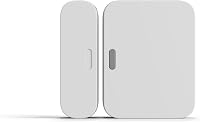
A door alarm sensor detects when a door opens, usually with a magnet and contact sensor. Choose a compatible system sensor for app alerts, or a standalone alarm for a local chime or siren.
On this page (7 sections)
- What types of door alarm sensors can you choose?
- How do you choose a door alarm sensor?
- Where should you place a door alarm sensor?
- How do you install and check a door alarm sensor?
- Which door alarm sensors fit different needs?
- How do you care for and use a door alarm sensor?
- Which door alarm sensor should you choose?
A door alarm sensor detects when a door opens and sends a chime, siren or notification. The right choice depends on where you want the alert, what alarm equipment you already own and how many openings you need to cover.
For a monitored DIY setup, confirm that the sensor works with your base station before buying. If you need a broader system overview, start with our guide to DIY alarm systems.
What types of door alarm sensors can you choose?
Door alarm sensors are either system-connected contact sensors or standalone alarms. Both detect an opening, but they send alerts in different ways.
| Type | What happens when the door opens | Best fit |
|---|---|---|
| System-connected contact sensor | Reports the opening to a compatible base station or hub, which may send a phone alert or sound a chime | You want sensor status as part of a home alarm system |
| Standalone chime or siren | Sounds at the sensor itself when the contact separates | You want a local alert without an app or monthly fee |
| Smart hub sensor | Sends status to its hub and app; some setups can trigger other connected devices | You want app alerts or home automations |
Most contact sensors use two pieces: a sensor and a magnet. One attaches to the door and the other to its frame.
When the door opens and the pieces move apart, the system registers the change. A standalone unit combines the sensor and sounder in one local setup, and some let you choose alarm, chime or off mode.
A door sensor reports an opening. It doesn't lock a door or prevent entry, so use it alongside sound locks and other security measures.
How do you choose a door alarm sensor?
Choose a sensor by alert route, system compatibility, mounting surface and coverage. Those factors determine whether it will fit your home and daily routine.
- Start with equipment you own. A sensor for a Ring or SimpliSafe system won't automatically work with another brand's hub. Check the exact system requirement before comparing features.
- Decide where the alert should go. A standalone alarm makes sound at the opening. A compatible hub-based sensor can report activity through an app or a system chime.
- Count the openings. Match the pack size to the doors, windows, cabinets or other openings you intend to monitor. Keep a few sensors in reserve only if you expect your coverage plan to grow.
- Check the mounting surface. Adhesive is quick to apply, while included hardware offers a more permanent option on suitable surfaces. Renters should consider whether adhesive or screws are allowed.
- Consider who needs to notice. A local chime can help someone nearby hear an opening. A phone alert suits someone who wants remote status, provided the required hub and network are in place.
- Check battery details. Note whether the battery comes installed or in the package, and whether the sensor has a low-battery indicator.
For a whole-home alarm, choose a sensor designed for the base station or hub you already use. For a simple local warning across several indoor openings, a standalone set is the more direct fit.
Which door alarm sensor features matter most?
The most useful features are a suitable alert, clear compatibility and a mount that fits the door. Extra smart features matter only if you'll connect and use them.
Check the system requirement first. Then look at the alert type, mounting options, battery details and number of sensors in the pack.
Don't assume that two wireless sensors use the same system or alert route. A sensor can be wireless and still require its own compatible hub.
Where should you place a door alarm sensor?
Place the sensor and magnet on the moving door and fixed frame, where they line up with the door closed and separate when it opens. Follow the brand's placement and gap guidance for that model.
For a typical hinged door, mount the parts near the opening edge rather than by the hinges. This makes the change in position easier for the contact sensor to detect as the door swings.
Before attaching anything, close the door and check that the surface is flat enough for both pieces. Open and close it slowly to confirm the sensor won't be knocked loose or blocked by trim.
For sliding doors, choose a frame and panel location where the pieces meet when closed and separate during normal opening. Make sure the sensor won't interfere with the door's travel or latch.
A window can use the same contact principle if the frame and sash let the two parts align. See our guide to window alarm sensors for more placement considerations.
Can you put a door sensor on a metal door?
Check the sensor instructions before mounting it on a metal door or frame. The material and shape can affect how well the sensor and magnet fit together, so follow the brand's placement guidance.
If adhesive is included, clean and dry the surface as directed before mounting. Give the adhesive time to set if the instructions call for it, then check that the sensor registers the opening.
How do you install and check a door alarm sensor?
Install the two parts so they align with the door closed, then check the alert before relying on it. Follow the setup steps for your sensor and alarm system.
- Confirm the sensor is compatible with your base station or hub, if it needs one.
- Add or pair the sensor in the system before mounting, if the instructions require it.
- Choose a spot on the frame and door where the parts line up when closed.
- Mount them with the recommended adhesive or hardware.
- Open and close the door to confirm the system registers the change.
- Check for the expected chime, siren or phone alert, then review the system's battery or connection status.
Avoid mounting over dirt, loose paint or an uneven surface. If adhesive won't hold, the sensor can shift and miss an opening.
For a complete system setup sequence, read how to install a home alarm system yourself. If the sensor needs a hub or base station, confirm that device is set up and online before troubleshooting the sensor.
What door alarm sensor setup mistakes should you avoid?
The most common setup mistakes are buying an incompatible sensor, misaligning the contact and magnet, and skipping the alert check. A few minutes of planning can prevent false confidence or missed openings.
- Buying by appearance alone: Similar contact sensors may require different hubs. Check the system name and generation before ordering.
- Mounting before choosing a location: Trim, hinges and sliding-door tracks can get in the way. Test the closed and open positions before attaching the sensor.
- Ignoring pack coverage: A multi-pack still may not cover every planned entry point. Write down the doors and windows that matter, then count them.
- Expecting every alert to reach a phone: A local alarm may only sound at the sensor. App alerts require the right system and, for some models, a hub and network.
- Skipping the open-and-close check: Verify the sensor registers the opening and produces the alert you expect. Repeat the check after moving the sensor or replacing its battery.
Which door alarm sensors fit different needs?
These four options cover system-connected alerts, standalone sound and hub-based smart features. Match your choice to your existing equipment and the alert you want.
Ring Alarm Contact Sensor 2-Pack
The Ring sensor is for homes that already use a Ring Alarm Base Station. Ring says it sends mobile alerts when a door or window opens with a Ring Protect subscription, sold separately.
It includes two CR2032 batteries and installs without tools. Its smaller design allows more placement options.
Choose it if you have the required Ring base station and want sensors that join that alarm setup. Skip it if you don't use Ring Alarm or want a standalone siren at the door.
See our Ring Alarm base station guide to understand the hub this sensor requires.
UltraPro 6-Pack Door and Window Alarm
The UltraPro set is a standalone choice for several indoor openings. Each alarm has an off, chime and alarm switch, with double-sided tape for mounting.
The alarms run on included LR44 batteries and have a front LED low-battery indicator. UltraPro describes a 120 dB alarm and says no app or monthly fee is required.
Choose it for local alerts across several indoor openings, such as doors in an apartment, office or RV. Skip it if you need remote app notifications or want sensors connected to a whole-home alarm system.
SimpliSafe Entry Sensor 4-Pack
The SimpliSafe sensors suit homes using the Gen 3 SimpliSafe system. The Base Station can sound a chime or identify which sensor opened, and selected sensors can send discreet phone notifications.
The pack has four sensors, each with a pre-installed battery. SimpliSafe says they can protect doors, windows, cabinets and more.
Choose this set if you already use SimpliSafe Gen 3 and want several entry points connected to that system. Skip it if you need a standalone alarm or use a different system.
For more detail on the system's entry sensors, see how SimpliSafe entry sensors work.
Tapo Door Sensor Starter Kit
The Tapo kit includes three contact sensors and one hub with a built-in chime. It suits shoppers who want app status checks and smart-home features within the Tapo system.
The sensors require the Tapo Hub, and the hub requires 2.4 GHz Wi-Fi. Tapo says opening a door or window can trigger a customizable alarm and app notification; it also describes automations with compatible lights and cameras.
Choose it if you want a hub-based smart setup and plan to use its app or compatible automations. Skip it if you want a simple standalone alarm or don't want to add a hub and Wi-Fi connection.
The kit supports Matter, but check that the platform and devices you use support the features you want.
How do you care for and use a door alarm sensor?
Keep a sensor dependable with occasional opening checks, battery attention and secure mounting. Recheck it after moving the door, changing a battery or adjusting the sensor.
Open and close the door to confirm the alert still works. Look for a low-battery indicator where the sensor has one, and replace batteries according to the brand's directions.
If an adhesive-mounted sensor begins to shift, remount it on a clean, suitable surface. Don't cover the contact or place it where routine use can knock it out of alignment.
Make sure everyone who needs to respond knows what the chime or alert means. A system-connected sensor also depends on its base station or hub being set up and connected as intended.
For more standalone options, see our best door alarms for home security.
Which door alarm sensor should you choose?
Pick the sensor that matches your existing system and the place you need the alert. For Ring Alarm, choose the Ring Contact Sensor; for SimpliSafe Gen 3, choose its four-pack; for local sound across several indoor openings, choose UltraPro; and for Tapo app features, choose the Tapo starter kit.
If you're choosing between a system sensor and a standalone alarm, decide whether you need phone or base-station alerts, or a chime or siren at the opening. Compare door alarm sensors by compatibility, mounting surface and the number of openings you need to cover, then use our entry alarm guides to plan the rest of your setup.
Frequently asked questions
How does a door alarm sensor work?
Most door alarm sensors use a contact and a magnet. When the door opens and the two parts separate, the sensor can trigger an alert, chime or alarm.
A system-connected sensor needs its compatible hub or base station, while a standalone alarm can sound locally.
Where should I place a door contact sensor?
Mount one part on the fixed frame and the other on the moving door, following the sensor's alignment and gap instructions. Choose a flat, stable spot near the opening edge, away from hinges, and check that the two parts stay aligned when the door closes.
Can I use a door alarm sensor on a window?
Many contact sensors work on both doors and windows if the frame and sash allow the two parts to align. Check the sensor's compatibility and mounting guidance, then choose a location where opening the window separates the contact from its magnet.
Do door alarm sensors need Wi-Fi?
It depends on the sensor. A standalone unit can sound a local chime or siren without an app, while smart models may use a hub and network for phone alerts or remote status checks.
Confirm the system requirements before choosing.