Does SimpliSafe Work Without WiFi?
Yes, SimpliSafe can sound its local alarm without WiFi when the Base Station and sensors have power. App access and remote alerts may be limited, while cellular backup for monitoring requires a compatible professional monitoring plan.
On this page (10 sections)
- Does SimpliSafe Work Without WiFi?
- Does SimpliSafe work without WiFi?
- What still works if the internet goes down?
- What happens to the app during a WiFi outage?
- Can SimpliSafe contact monitoring without WiFi?
- Will SimpliSafe work during a power outage?
- Which SimpliSafe kit suits a home with unreliable WiFi?
- How should you set up SimpliSafe for an outage?
- What mistakes should you avoid when relying on SimpliSafe offline?
- Does SimpliSafe work without WiFi for your home?
Does SimpliSafe Work Without WiFi?
Yes, SimpliSafe can sound its local alarm without WiFi when the Base Station and sensors have power and are set up correctly. The keypad can arm and disarm the system at home, but app access, phone alerts, and professional monitoring may depend on internet or cellular service.
The main distinction is between an alarm that sounds inside your home and a signal that reaches you or a monitoring center. A connected sensor can alert the Base Station locally, while the system's communication path affects remote access and outside response.
Does SimpliSafe work without WiFi?
SimpliSafe can provide local alarm protection without WiFi if the Base Station and paired sensors have power. A sensor can report an opening or motion event to the Base Station, which can sound its siren.
That does not mean every feature works offline. App control, remote status checks, and alerts to your phone may stop when the internet connection is unavailable.
Professional monitoring may have a separate cellular path, depending on your Base Station, plan, and cellular coverage. Confirm those details with SimpliSafe before counting on emergency response during an outage.
What still works if the internet goes down?
The keypad and local siren are the main features to expect to work, as long as the system has power and its sensors are paired. If a protected door or window opens while the system is armed, its sensor can send a signal to the Base Station.
The wireless keypad communicates with the Base Station, so you can arm or disarm at home without opening the app. Keep the keypad within the system's working range and follow the setup steps for your model.
An internet outage can interrupt remote app access and other online features. For a broader explanation of how these connection paths differ, see WiFi vs cellular home alarm systems.
Can SimpliSafe sensors work without WiFi?
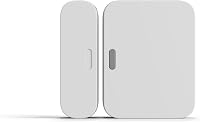
Paired sensors can communicate locally with the Base Station without WiFi if both have power and the system is set up correctly. Entry sensors protect doors, windows, and cabinets, while motion sensors cover an area inside a room.
A sensor does not send a message to your phone by itself. It relies on the Base Station and the connection options your system and plan support.
See the SimpliSafe entry sensor guide for more about what the sensors detect and where to place them.
Does the keypad need WiFi?
No, the keypad does not need WiFi for local arming and disarming. It communicates with the Base Station, so it gives you a way to control the alarm at home if the router or internet connection is down.
The 5-piece kit includes a Key Fob as well as a keypad. Read whether you need a SimpliSafe keypad or key fob if you are deciding which control method best fits your household.
What happens to the app during a WiFi outage?
The app may lose communication with your system when home internet is unavailable. You may be unable to arm or disarm remotely, check system status, or receive phone alerts until a supported connection returns.
The 8-piece and 11-piece system descriptions include app control for arming and disarming. That does not guarantee the app will remain available through a WiFi outage; it needs a working communication path between the Base Station and the app.
Set up the system and learn the keypad controls while internet is available. If the app stops connecting, check the system's connection status and follow SimpliSafe's support instructions.
During a connection problem, use the keypad for local control.
Can SimpliSafe contact monitoring without WiFi?
It may, if your Base Station has cellular network backup, your plan includes the required professional monitoring, and cellular service is available. SimpliSafe describes built-in network backup for monitoring during a power outage on some systems, and says this feature requires a professional monitoring plan.
A backup path is not a promise that every location or outage will be covered. Ask SimpliSafe to confirm the Base Station, plan, and local cellular coverage you would need before buying for this purpose.
The 8-piece kit includes a Panic Button, but its silent panic option requires a 24/7 professional monitoring subscription. That makes it a better match for someone who wants a button for urgent help and is prepared to maintain the needed plan.
Will SimpliSafe work during a power outage?
The Base Station in the 8-piece and 11-piece systems has a battery rated for up to 24 hours. This can keep local protection available for a limited time after a loss of power, though actual runtime can vary.
Keep the Base Station plugged in during normal use, and treat its battery as temporary backup. Cellular backup for monitoring is a separate feature and requires a professional monitoring plan.
The home alarm system battery backup guide explains how to think about backup power and its limits. Do not assume that battery power alone preserves app access or outside monitoring.
Which SimpliSafe kit suits a home with unreliable WiFi?
Choose by the number of entry points you want to cover and whether you want an indoor camera. All three kits include a Base Station, but they differ in sensor counts and controls.
The 5-piece system suits a smaller home or a buyer who wants to start with fewer detection points. Skip it if one entry sensor will leave several doors or windows unprotected, or if you expect the bundle itself to provide cellular monitoring backup.
Choose the 8-piece system if you want to cover more doors and windows from the start, or value the included Panic Button. Its Base Station description includes a battery and network backup that requires professional monitoring.
The 11-piece system is for buyers who need more entry coverage and want an indoor camera. SimpliSafe says monitoring agents can see and speak to intruders during an alarm with select monitoring plans.
Skip this kit if you do not want a camera or do not need its larger sensor count.
Count the doors and windows you want protected before choosing. The DIY alarm system guide explains how a Base Station, sensors, and controls fit into a self-installed setup.
How should you set up SimpliSafe for an outage?
Set up the Base Station and sensors while you have a working connection, then practice local control. That way, you know how to operate the alarm at home if internet service later drops.
- Plug in the Base Station and follow the setup steps in the SimpliSafe App.
- Place and pair the sensors where you want coverage.
- Use the keypad to arm and disarm the system.
- Confirm that a protected opening triggers the expected local response.
- Ask SimpliSafe whether your system and plan support cellular monitoring backup.
The kits are designed for wireless setup without wiring or drilling. If you want a walkthrough of placement and installation decisions, see how to install a home alarm system yourself.
What mistakes should you avoid when relying on SimpliSafe offline?
The most common mistake is treating local siren protection as proof that app alerts or professional monitoring will also work. They rely on different connections and may need a plan or cellular coverage.
Do not assume a backup battery lasts indefinitely. The stated runtime is up to 24 hours for the Base Station in the 8-piece and 11-piece systems, so keep it powered and understand it is a limited reserve.
Avoid buying a larger kit just because it has more pieces. Match entry sensors to the doors and windows you want to cover, and choose the camera bundle only if indoor camera coverage suits your home and privacy preferences.
Does SimpliSafe work without WiFi for your home?
Choose SimpliSafe if you want a local siren and keypad control when WiFi drops. If your priority is phone alerts or emergency response during an internet outage, verify cellular backup, plan requirements, and coverage before you buy.
Pick the 5-piece kit for a small setup with few entry points, the 8-piece for more entry coverage and a Panic Button, or the 11-piece if you want more sensors and an indoor camera. For a final setup check, follow the DIY installation guide and confirm your outage plan with SimpliSafe.
Frequently asked questions
Can SimpliSafe sound an alarm without WiFi?
Yes, the Base Station can sound its local siren when a paired sensor triggers, even if WiFi is unavailable. Remote app access and professional monitoring depend on the system's connection options and plan, so confirm what your setup supports before relying on it during an outage.
Does SimpliSafe need WiFi for professional monitoring?
WiFi is one connection path, but some SimpliSafe Base Stations have built-in network backup for monitoring during a power outage. That backup requires a professional monitoring plan.
Confirm cellular backup, plan eligibility, and coverage for your exact system and location.
Can I arm SimpliSafe without the app?
Yes, you can arm and disarm the system with its wireless Keypad. The 5-piece bundle also includes a Key Fob.
App control and remote status checks need a working connection between the Base Station, internet, and app.
Will SimpliSafe work during a power outage?
The Base Station in the 8-piece and 11-piece systems has a battery rated for up to 24 hours. Actual runtime can vary, and cellular network backup for monitoring during a power outage requires a professional monitoring plan.